


Technical Tip: FortiAuthenticator log timeouts (Gateway Timeout)
Description
This article describes how FortiAuthenticator logs can timeout when viewing from GUI, and how to work around this.
Scope
FortiAuthenticator.
Solution
When viewing FortiAuthenticator logs from GUI, this can sometimes trigger timeouts, in particular gateway timeout errors:
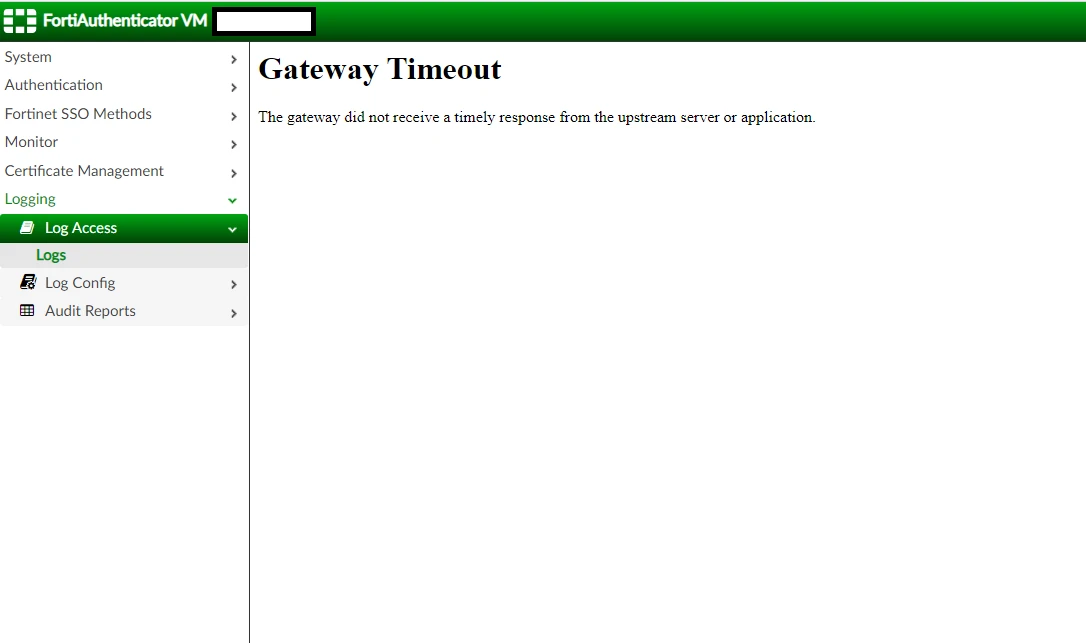
This is typically caused by the amount of logs the GUI is trying to retrieve.
Before firmware version 6.2, FortiAuthenticator did not automatically delete logs after a fixed time period.
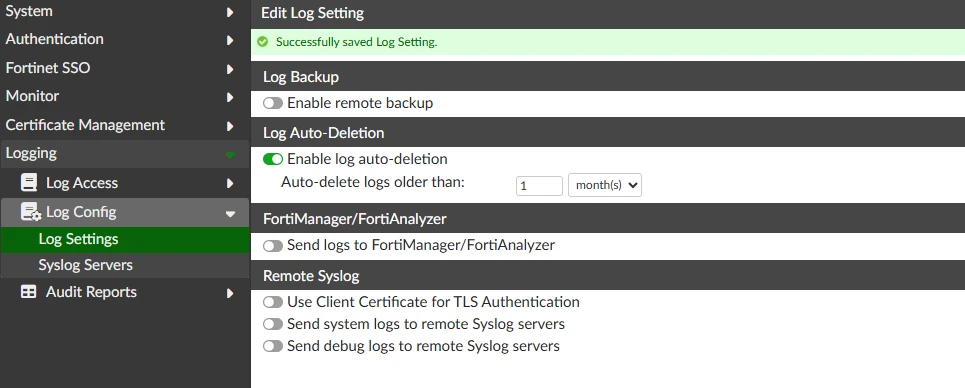
Newly installed in version 6.2 or higher, this setting is enabled, but units upgraded to version 6.2 or higher do keep the setting disabled.
The setting can be found under Logging -> Log Config -> Log Settings.
Note:
Enabling this setting when FortiAuthenticator has collected logs for a long time can cause a high load, as FortiAuthenticator will immediately start to evaluate all logs and delete those that are older than the set time-frame.
It is recommended to only enable this setting during a maintenance window to ensure there is no impact on business operations due to the high load on FortiAuthenticator.
Recommended log duration can vary depending on the logs. For logs with higher loads, FortiAnalyzer is the recommended solution.
The FortiAuthenticator autorotate should be set to around 1 to 3 months.
On VMs, increasing VM resources (additional memory and CPU cores) can also help resolve the issue.

