


Technical Tip: Dissociate cluster without logs loss
Description
This article describes how to disassociate Fortigate High Availability clusters without the loss of logs when added under a different FortiGate HA cluster because of the same HA group-name in their configurations.
Scope
FortiAnalyzer
Solution
In this example, two FortiGate HA clusters (FortiGate-Cluster-A and FortiGate-Cluster-B) are present, each containing one Slave.
But because there are the same HA configurations, it gets added in FortiAnalyzer as a Single HA cluster.
FortiGate-A and FortiGate-B:
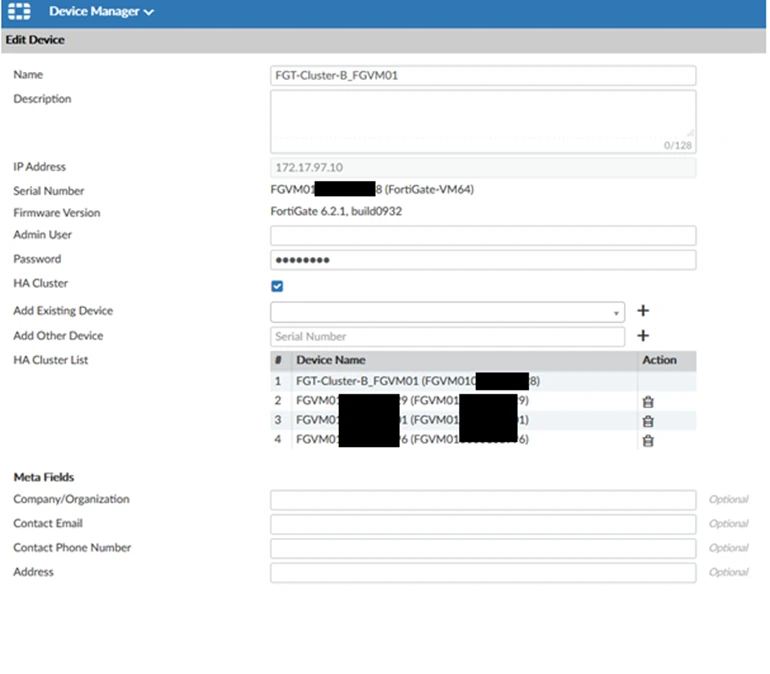
To make FortiGate-cluster-A appears as a separate unit in FortiAnalyzer:
1) Disable HA Auto-grouping from CLI of the FortiAnalyzer.
1) Disable HA Auto-grouping from CLI of the FortiAnalyzer.
# config system global2) Now remove/delete the serial number of the FortiGate-Cluster-A.
set ha-member-auto-grouping disable
end
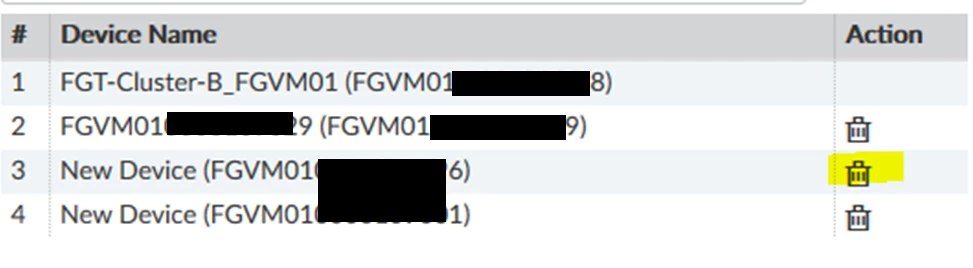
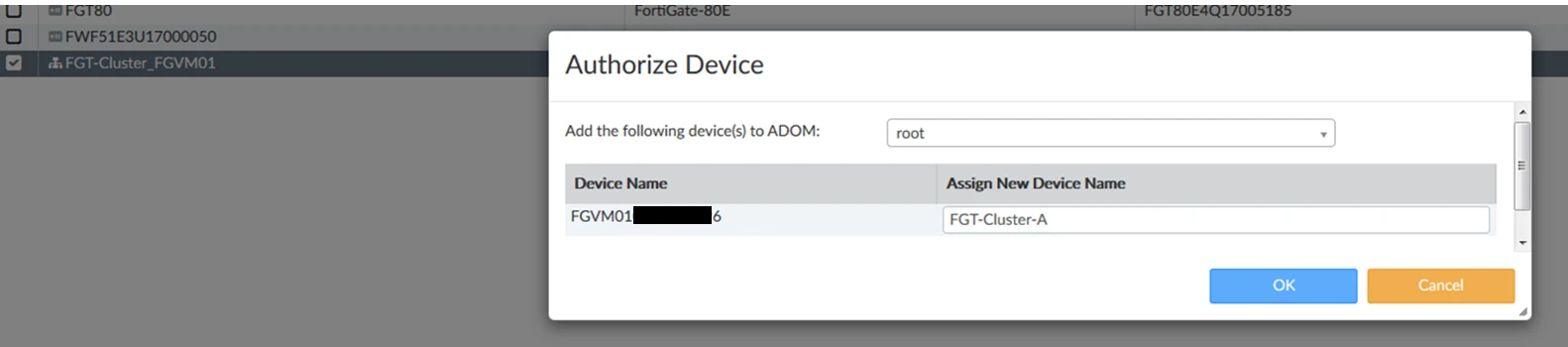
3) Now if that removed serial number is continuously logging to FortiAnalyzer then it should show up under unauthorized devices in Root ADOM.
This can be again added as a new unit.
Or this FortiGate can be added as a new unit manually.
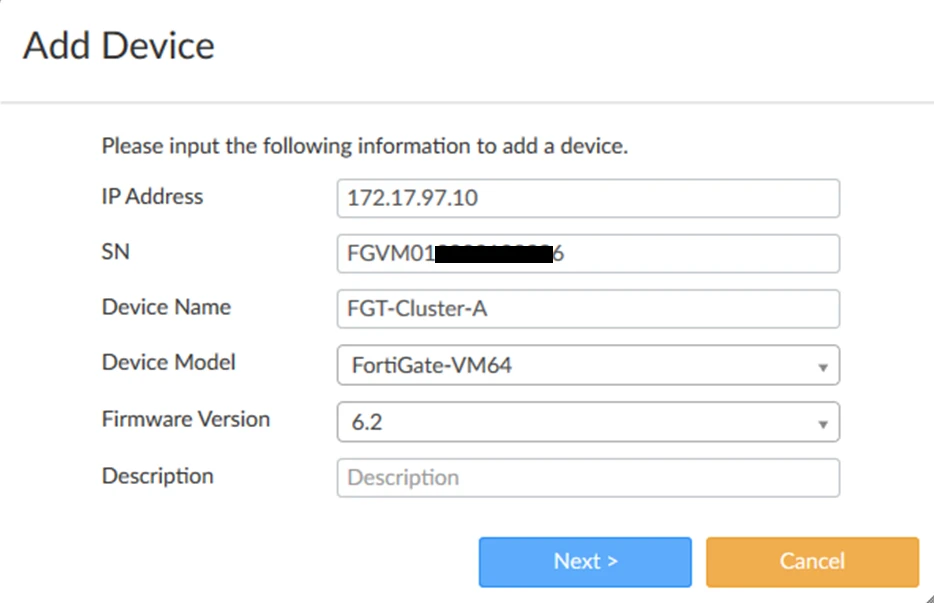
- Once this unit is added, add the Slave serial number in it. The Slave serial number is automatically removed from the FortiGate-cluster-B.
- Make Sure the HA Cluster option is selected.
- Make Sure the HA Cluster option is selected.
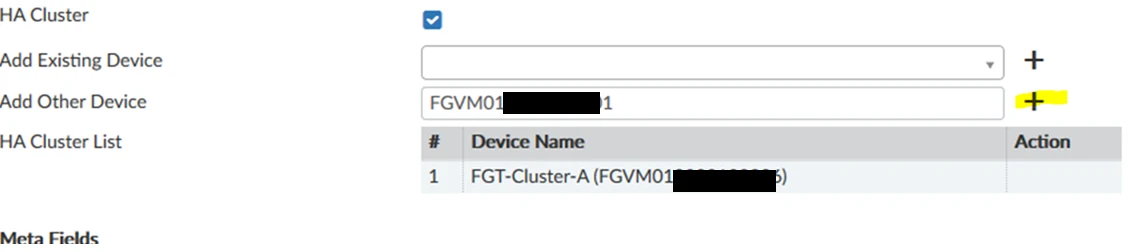
Now the two FortiGates in Cluster are showing up individually.

