bksol92
Staff
Staff
Apr 3, 2023 6:53 AM UTC

Technical Tip: Customizing CLI command 'execute top' to add column to its display output

  • Apr 16, 2026 11:39 AM UTC
  • 0 replies
  • 1234 views
  • Translate All
Description This article describes how to customize the CLI command 'execute top' to add the column to its display output.
Scope FortiAnalyzer.
Solution
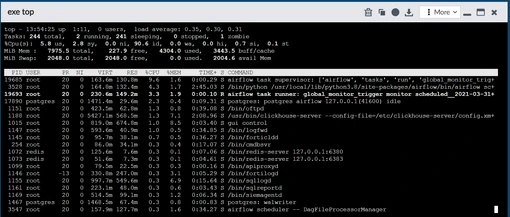
  1. Run 'exe top' in the FortiAnalyzer console to display the device's running processes.


exe top.PNG


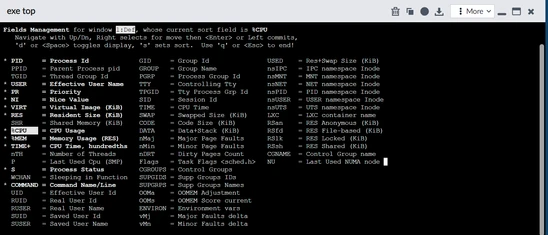
  1. Press the 'F' key to display column options:


    column options.PNG


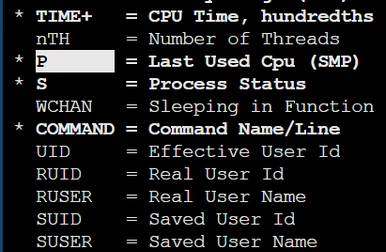
  2. Navigate to the option to display by pressing the arrow keys and selecting 'Spacebar'.


    cpu.PNG


    Once done, select 'Q' to go back to the 'exe top' output.


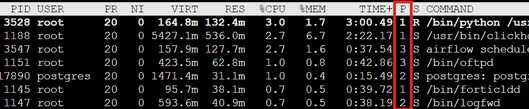
  3. The new column 'P' is added to the command output, showing the CPU last used by each process.


    p column.PNG


Risk and Resilience in the Age of AI. An OT Thought Leadership Summit for Houston's Critical Infrastructure Leaders. Date: Thursday, December 3, 2026. Time: 8:30 am - 1:30 pm (CT). Location: The Westin Houston, Memorial City | 945 Gessner Road, Houston, TX 77024